The project began with discovery and alignment around the intended use of the mockups. Team notes and early sketches were reviewed alongside light research into the target user group, including age, interaction patterns, tablet use, skill level, and accessibility needs. A comparative analysis of animation apps was conducted to identify common UI patterns and user workflows.
This early understanding informed the initial structure of the product, shaping a mode-based creative workflow with distinct stages such as creation, editing, and post-production.
The design process moved from grayscale, low-fidelity wireframes used to map key screens and overall user flow into mid-fidelity designs that established primary UI elements, layout zones, and navigation. Between these stages, I produced detailed hand-drawn sketches to reason through interaction logic, navigation, and UI placement. This gave me a clearer mental model before moving into mid-fidelity design.
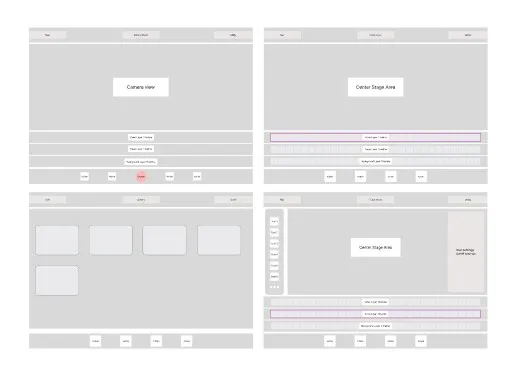
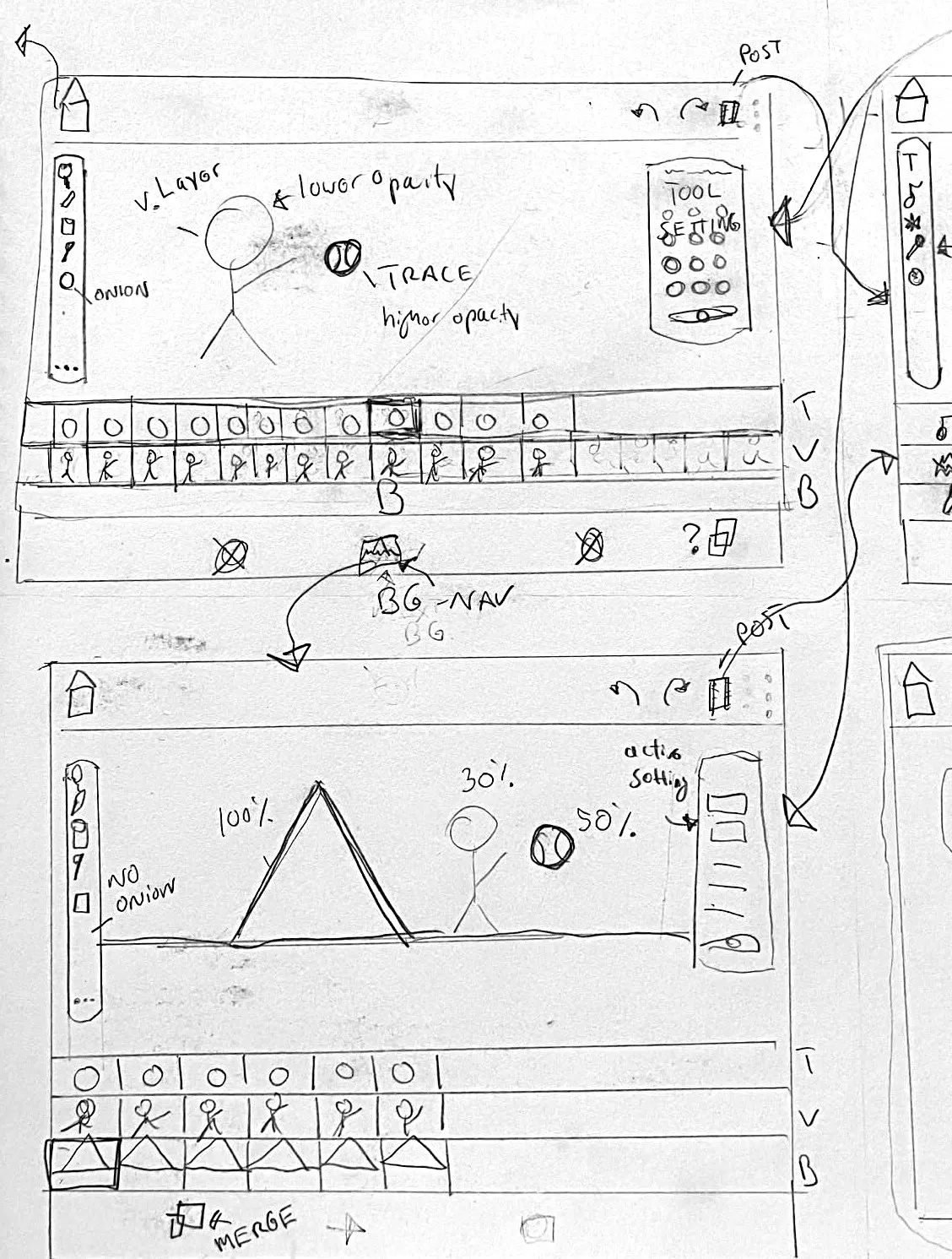
Overall, the design process focused more on visually explaining how the system works rather than on how it looks. Design was intentionally constrained to avoid production-level or final-stage high-fidelity visuals, particularly in areas such as custom UI elements or styles that could imply product branding.